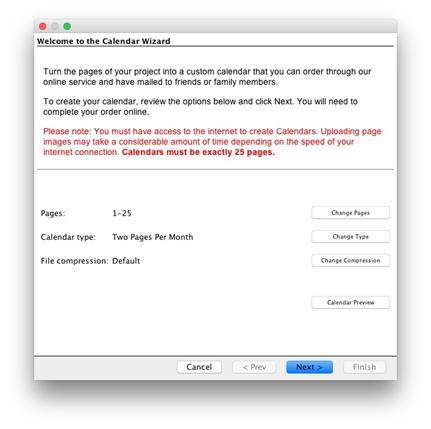
Upload your project to order a calendar that will be shipped to you.
Note: Calendars must be exactly 25 pages.
1. Go to the Share Project menu > Order Calendar.
2. Select the pages included and set a Two Page Per Month type, then click next.
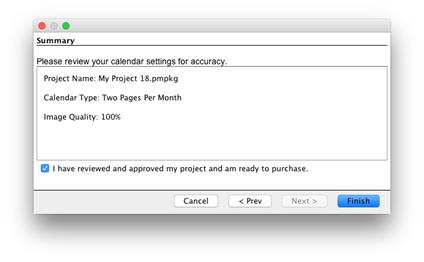
3. Confirm you are ready to order and click Finish.
·
Compression – Leave compression at 100% for best quality.
·
Calendar Preview – View a low res version of how the pages
will layout
Summary – Click the check box to confirm your project and click Finish.
·
Pages will begin uploading to complete the order online.
If you have additional questions or experience issues with the software please visit.
Related Topics