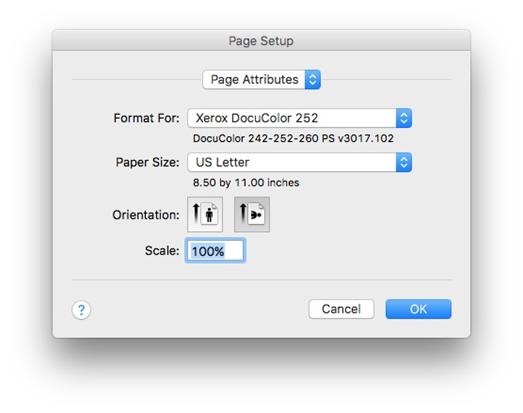
Page Setup – Select your printer, page size, orientation, margins, and scaling.

·        Source (Windows only) – Select a printer, and if available a printer tray.

·        Format For (Mac only) – Select a printer.

·        Paper Size – Select a paper size for printing.

·        Orientation – Select a landscape or portrait option.

·        Scale (Mac only) -100% is recommended.

·        Margins (Windows only) – Set the page margins.

:PM8 User Guide Screenshots jpgs:page 95 - print setup.jpg


Related Topics

Print


Copyright (c) 2004-2008 Macrobject Software, All Rights Reserved.
You can change this copyright message in the "Template Settings" dialog.